In This Guide
- TL;DR
- What Are AI Coding Tools and Why Should You Care
- The Three Tiers of Agency Automation (Where AI Coding Fits)
- Real OFM Use Cases: What to Build First
- How to Actually Use These Tools (Even If You Cannot Code)
- What NOT to Do: Common Mistakes
- The Speed Advantage: Why This Matters Now
- Getting Started Today
- Final Thought
AI Coding Tools for OFM Agencies: Build Custom Automations Without a Dev Team
The barrier to building software just collapsed. AI coding assistants like Claude Code, Cursor, and OpenAI Codex can write, debug, and deploy production-grade code from natural language instructions. For OnlyFans management agencies, this isn’t a novelty — it’s a fundamental shift in how fast you can build internal tools, connect APIs, and automate operations that previously required a full-time developer.
At xcelerator, we manage 37 creators across 450+ social media pages. The volume of operational processes — content scheduling, revenue tracking, fan segmentation, traffic management — demands custom tooling. Hiring developers for every internal tool is slow and expensive. AI coding tools let our operations team build, test, and ship automations in hours instead of weeks.
This guide covers what these tools actually are, how they apply to OFM agency workflows, and how to start using them today even if you’ve never written a line of code. For the broader agency operations framework these tools plug into, start there.
TL;DR
- AI coding tools (Claude Code, Cursor, Codex) write real, production-ready code from plain English descriptions
- OFM agencies can use them to build custom CRM integrations, API connectors, analytics dashboards, and automation scripts
- You don’t need to be a developer — you need to understand your problem clearly
- The agencies that adopt this tooling now will outpace competitors who are still waiting on freelance developers or limited no-code platforms
- Start with one high-impact automation (revenue tracking, content scheduling, or fan alerts) and expand from there
Citation Capsule: The barrier to building software just collapsed.
What Are AI Coding Tools and Why Should You Care
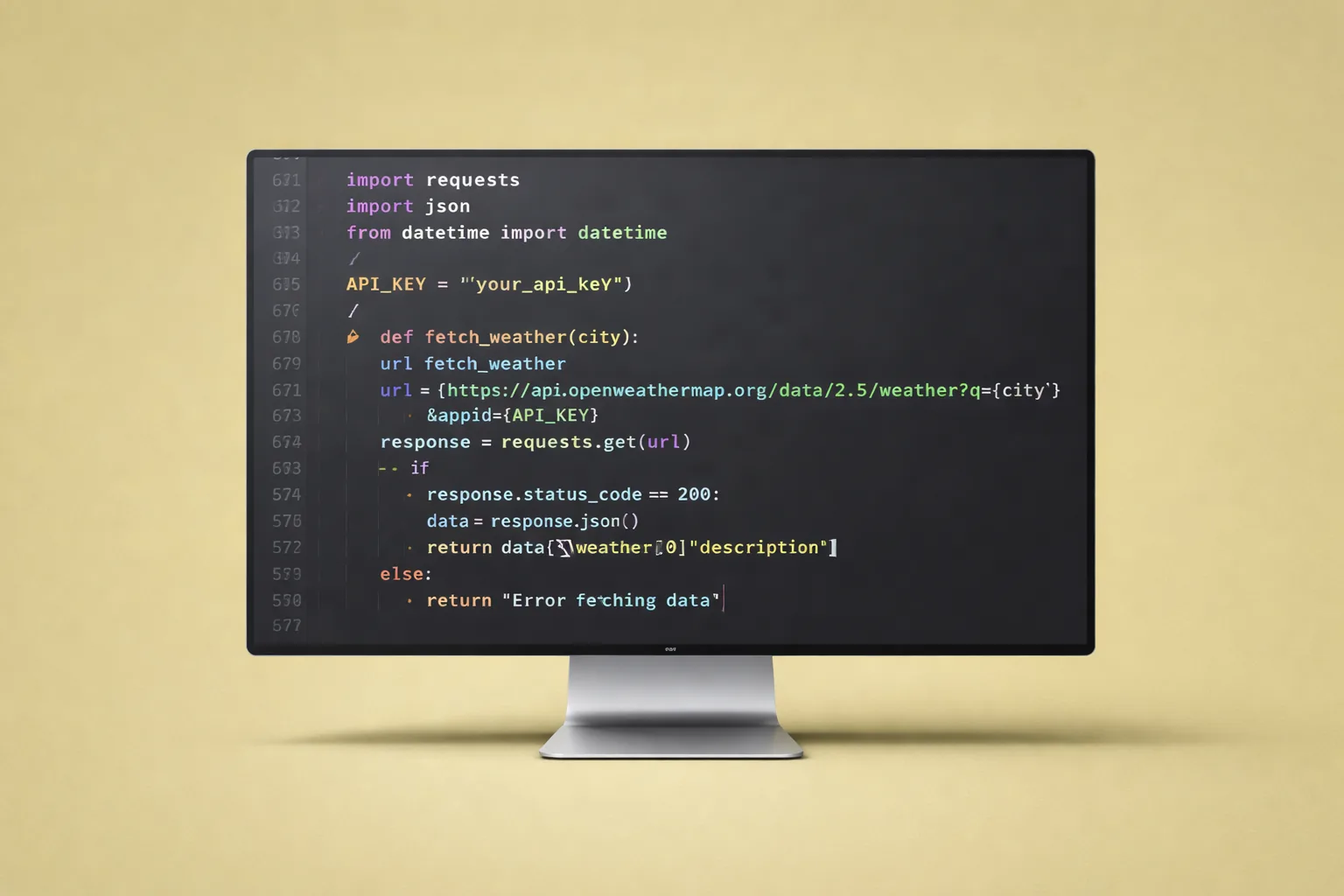
AI coding assistants are tools that take your natural language description of what you want to build and generate working code. They aren’t templates or drag-and-drop builders. They write actual Python, JavaScript, TypeScript, or any other language — the same code a senior developer would write.
The key players in 2026:
Claude Code is Anthropic’s command-line AI assistant. You describe what you want in plain English, and it writes, edits, and runs code directly in your project. It understands context across entire codebases, can read documentation, and iterates on its own output. It excels at building API integrations, data processing scripts, and web applications.
Cursor is a code editor with AI built into every interaction. It autocompletes entire functions, refactors code on command, and can generate full features from a description. It is particularly strong for building web dashboards, React applications, and real-time data displays.
OpenAI Codex / ChatGPT Code Interpreter generates code through conversation. You describe the problem, it writes the solution, you refine through follow-up prompts. Good for scripting, data analysis, and prototyping.
Why This Matters for OFM Specifically
The OnlyFans management industry has a unique problem: the platforms and APIs we rely on change constantly, the workflows are highly specific to this niche, and off-the-shelf software rarely fits. No-code tools like Zapier and Make handle basic workflows, but the moment you need custom logic — fan scoring algorithms, multi-platform content distribution, revenue attribution across traffic sources — you hit their limits.
Previously, crossing that boundary meant hiring a developer at $50-150/hour or building a technical team. Now, an agency operator who understands the business problem can describe it to an AI coding tool and get a working solution in a single afternoon.
This is the same principle we follow at xcelerator with our AI automation stack: design the method first, validate it manually, then automate. AI coding tools just collapsed the “automate” step from weeks to hours.
The Three Tiers of Agency Automation (Where AI Coding Fits)
We outlined the full automation stack in our master guide, but here is how AI coding tools fit into the three tiers:
Tier 1: CRM-Based Automation (Non-Technical)
This is where most agencies should start. Tools like xcelerator CRM, Notion, and Google Sheets handle:
- Content scheduling and vault management
- Basic fan tracking and tagging
- Team task management
- Revenue dashboards from manual data entry
AI coding tools do not replace Tier 1. If you are not profitable with basic tools, adding custom code will not fix your business. Get the fundamentals right first.
Tier 2: No-Code Orchestration (Semi-Technical)
Zapier, Make (Integromat), and n8n connect your existing tools with trigger-action workflows:
- When a new subscriber joins, send a welcome DM sequence
- When revenue drops below threshold, send a Slack alert
- Sync content schedules across platforms
This tier works well until you need custom logic, complex data transformations, or integrations with platforms that do not have pre-built connectors.
Tier 3: API-Connected Agentic Systems (Where AI Coding Shines)
This is the frontier. AI coding tools enable you to build:
- Custom API integrations connecting OnlyFans data (via theonlyapi.com) to your internal dashboards
- Fan scoring algorithms that weigh spending history, message frequency, tip patterns, and engagement to prioritize whale subscribers
- Multi-platform content distributors that take a single piece of content and adapt it for OnlyFans, Reddit, Twitter/X, Instagram, and Telegram with platform-specific formatting
- Revenue attribution pipelines that track which traffic source (Reddit, Twitter, paid ads) generates the highest LTV subscribers (the Traffic & Marketing Master Guide covers the strategy these pipelines measure)
- Automated QA systems that monitor chatter response times, brand alignment, and conversion rates via API (see the Team & Hiring Master Guide for the QA frameworks these tools enforce)
- MCP (Model Context Protocol) integrations that let AI agents interact directly with your business tools — reading CRM data, posting content, and adjusting strategies in real-time
The shift from Tier 2 to Tier 3 used to require a technical cofounder or a $5K-10K/month development budget. AI coding tools make it accessible to anyone who can clearly describe what they want built.
Real OFM Use Cases: What to Build First
Don’t try to automate everything at once. Start with the automation that saves the most time or directly increases revenue. Here are the highest-impact builds for OFM agencies:
1. Revenue Tracking Dashboard
The problem: You are manually pulling revenue data from OnlyFans, cross-referencing with traffic sources, and building spreadsheets to understand profitability per creator, per traffic channel, per time period.
What AI coding builds: A web dashboard that connects to the OnlyFans API (via theonlyapi.com), pulls subscription revenue, tip revenue, PPV revenue, and message revenue automatically. It calculates:
- 30-day and 90-day LTV per subscriber
- Revenue attribution by traffic source
- Chatting ratio (subscription to chatting revenue — industry average is 1:8 to 1:9)
- Profitability per creator after expenses
How to build it with Claude Code:
claude "Build a Python dashboard using Streamlit that connects to
the OnlyFans API via theonlyapi.com. Pull daily revenue data for
all managed creators, calculate 30-day LTV, 90-day LTV, and
chatting ratio. Display as charts with date range filters.
Store historical data in SQLite."
Claude Code will generate the full application — API connection logic, data processing, database schema, and front-end charts. You review, test, and deploy.
2. Fan Segmentation and Alert System
The problem: Your chatting team treats every subscriber the same, wasting time on low-value fans while high-value whales wait for responses.
What AI coding builds: A script that connects to the OnlyFans API, scores every subscriber based on spending history, message frequency, and tip patterns, then:
- Tags whales for priority human attention
- Routes time-wasters to automated responses or GG swaps
- Sends Slack/Discord alerts when a whale subscriber has not been messaged in 24 hours
- Generates daily reports on fan segment distribution and revenue per segment
3. Content Scheduling Pipeline
The problem: Content is scattered across Google Drive, Dropbox, and Notion. Scheduling requires manual uploads to each platform with different formatting requirements.
What AI coding builds: A pipeline that:
- Monitors a shared Google Drive folder for new content
- Automatically categorizes content (photo set, video, teaser, behind-the-scenes)
- Generates platform-specific captions using AI (trained on your winning prompts)
- Queues content to the xcelerator CRM scheduling system
- Posts to Reddit, Twitter/X, and other traffic channels with proper formatting
4. Chatter QA Monitoring
The problem: You have no way to systematically monitor chatter quality at scale without manually reading DM threads.
What AI coding builds: A monitoring system that:
- Pulls message data via API
- Measures average response time per chatter (the metric that matters most)
- Flags conversations where the chatter deviated from brand alignment guidelines
- Identifies missed upsell opportunities (fans who expressed buying intent but were not pitched)
- Generates weekly QA scorecards per chatter with specific examples for training
5. Traffic Source Monitor with Alerts
The problem: An Instagram account gets banned and you do not notice for 12 hours. A Reddit post gets removed and traffic drops 40% overnight.
What AI coding builds: A monitoring script that:
- Checks all social media profiles every 30 minutes
- Alerts immediately via Discord/Slack when a profile goes down or engagement drops significantly
- Tracks daily traffic volumes per source
- Correlates traffic drops with revenue changes to identify which sources actually matter
How to Actually Use These Tools (Even If You Cannot Code)
The most important skill isn’t coding — it’s clearly describing what you want. AI coding tools are translators between business intent and working software. The clearer your description, the better the output.
Step 1: Define the Problem in Plain English
Bad prompt: “Build me an automation tool”
Good prompt: “Build a Python script that connects to theonlyapi.com, pulls all subscriber data for creator ID X, calculates how much each subscriber has spent in the last 30 days, sorts them by total spend, and sends a daily summary to my Discord webhook with the top 10 spenders and any subscribers who spent nothing in the last 7 days.”
The good prompt works because it specifies:
- The language (Python)
- The data source (theonlyapi.com)
- The specific data needed (subscriber spending)
- The time frame (30 days)
- The output format (Discord webhook)
- The logic (sort by spend, flag inactive)
Step 2: Start Small and Iterate
Do not try to build your entire tech stack in one session. Start with one script that solves one problem. Get it working. Then expand.
First session: “Pull revenue data and display in terminal” Second session: “Save to SQLite database and add date filtering” Third session: “Add a Streamlit web dashboard with charts” Fourth session: “Deploy to a server so the team can access it”
Each session builds on the last. AI coding tools maintain context within a session and can read your existing codebase to understand what is already built.
Step 3: Learn to Read (Not Write) Code
You don’t need to write code from scratch. But you do need to understand what the AI generated at a high level:
- Does this connect to the right API? Check the URLs and endpoints
- Does it handle errors? Look for try/catch blocks and error messages
- Is it storing data securely? API keys should be in environment variables, not hardcoded
- Does the logic match your business rules? Walk through the flow mentally
If something looks wrong, tell the AI: “This is pulling all-time data but I only want the last 30 days. Fix the date filter.” It will adjust.
Step 4: Use MCP for Advanced Integrations
Model Context Protocol (MCP) is the layer that lets AI agents interact with external tools programmatically. With MCP integrations, your AI assistant can:
- Read and write to your CRM
- Pull real-time data from OnlyFans via API
- Execute code, run tests, and deploy updates
- Manage content schedules and fan communications
Tools like OpenClaw provide pre-built MCP servers for common integrations. Combined with theonlyapi.com for OnlyFans data access, you can build systems where an AI agent handles routine operations autonomously — with human oversight for high-stakes decisions like pricing changes or creator communications.
What NOT to Do: Common Mistakes
### Mistake 1: Automating Before You Are Profitable
This is the number one mistake we see. An agency managing 3 creators with inconsistent revenue decides to build a custom analytics platform. The platform works beautifully but the underlying business doesn’t generate enough data or revenue to justify it.
Rule: If you aren’t consistently profitable with manual processes and basic tools (Tier 1), don’t jump to Tier 3. Fix your product first — content quality, model branding, traffic generation. Then automate what works. The Revenue & Pricing Master Guide and Retention & Growth Master Guide cover the fundamentals that should be profitable before you automate.
Mistake 2: Building Instead of Buying
Before you build a custom tool, check if a solution already exists. xcelerator CRM handles model management, deep link tracking, social media analytics, and team management out of the box. Only build custom when your specific workflow can’t be handled by existing tools.
Mistake 3: Ignoring Security
AI coding tools generate functional code quickly, but they don’t always follow security best practices unless you ask. Always:
- Store API keys in environment variables (
.envfiles), never in code - Use HTTPS for all API connections
- Implement rate limiting to avoid getting blocked by platforms
- Never store subscriber personal data in plain text
- Review generated code for hardcoded credentials before deploying
Mistake 4: Over-Engineering the First Version
Your first version should be ugly and functional. Do not ask the AI to build a polished SaaS product on day one. Build the minimum viable script that solves one problem, verify it works with real data, then iterate. The beauty of AI coding tools is that improving and expanding is fast — you can always make it better later.
Mistake 5: Not Training Your Team
If only one person understands the custom tools, you have a single point of failure. Document what each automation does, how to restart it if it breaks, and who to contact. AI coding tools can also generate documentation — just ask: “Write a README for this project explaining what it does, how to set it up, and how to troubleshoot common issues.”
Citation Capsule: ### Mistake 1: Automating Before You Are Profitable
This is the number one mistake we see.
The Speed Advantage: Why This Matters Now
The OFM industry moves fast. Platform policies change. New traffic sources emerge. Creator trends shift monthly. The agencies that can adapt their tooling in days instead of months have a structural advantage.
Consider the timeline difference:
Traditional development:
- Identify need (1 week)
- Write specification (1 week)
- Find and hire developer (2 weeks)
- Development and testing (4-8 weeks)
- Deployment and bug fixes (2 weeks) Total: 10-14 weeks
AI coding tools:
- Identify need (1 day)
- Describe to AI tool (30 minutes)
- Review and iterate (2-4 hours)
- Test with real data (1 day)
- Deploy (1 hour) Total: 2-3 days
This is not an exaggeration. We have built internal tools at xcelerator in single afternoons that would have taken freelance developers weeks to scope, build, and deliver. The tools are not always as polished, but they work — and working software that exists today beats perfect software that ships in three months.
The Compounding Effect
Every automation you build frees time to build the next one. A revenue dashboard that saves 5 hours per week gives you 5 more hours to build a fan segmentation system. That system saves 3 hours per week, giving you time to build a content scheduler. Within a few months, you have a custom tech stack that fits your exact workflow — something no off-the-shelf tool can match.
Citation Capsule: The OFM industry moves fast. Platform policies change.
Getting Started Today
### Option A: Claude Code (Recommended for Beginners)
- Install Claude Code:
npm install -g @anthropic-ai/claude-code - Navigate to your project folder in the terminal
- Type
claudeto start a session - Describe what you want to build in plain English
- Review the generated code, ask questions, iterate
Claude Code is the most beginner-friendly option because it works in conversation. You can ask it to explain what it wrote, why it made certain decisions, and how to modify the behavior.
Option B: Cursor (Best for Visual Learners)
- Download Cursor from cursor.com
- Open your project folder
- Use Cmd+K (or Ctrl+K) to describe what you want
- Cursor generates code inline with your existing files
- Accept, reject, or modify the suggestions
Cursor is ideal if you prefer a visual editor over command-line tools. It shows you exactly where code will be inserted and lets you accept changes file by file.
Option C: ChatGPT Code Interpreter (Best for Prototyping)
- Open ChatGPT with Code Interpreter enabled
- Describe what you want to build
- Upload any relevant data files (CSV exports, API documentation)
- ChatGPT writes and runs the code in a sandbox
- Download the working script and deploy locally
Best for quick prototypes and data analysis. Less suitable for building persistent applications.
Your First Project
Pick one of these starter projects based on your agency’s biggest pain point:
- Revenue tracker: “Build a script that reads a CSV export of OnlyFans earnings and calculates 30-day LTV, chatting ratio, and revenue per traffic source”
- Content scheduler: “Build a script that monitors a Google Drive folder and creates a content calendar in Google Sheets with posting dates and platform assignments”
- Alert system: “Build a script that checks my social media profiles every hour and sends a Discord message if any profile returns a 404 or has not posted in 48 hours”
Start with one. Get it working. Then build the next.
FAQ
Do I need to know how to code to use AI coding tools?
No. The entire point is that you describe what you want in plain English and the AI writes the code. However, understanding basic concepts (what an API is, what a database does, how web servers work) helps you ask better questions and evaluate the output. You should be able to read code at a high level, even if you cannot write it from scratch.
How much do these tools cost?
Claude Code requires an Anthropic API subscription (usage-based pricing, typically $20-100/month for moderate use). Cursor offers a free tier and a $20/month pro plan. ChatGPT Code Interpreter is included in the $20/month ChatGPT Plus subscription. All are significantly cheaper than hiring a developer.
Is the code these tools generate production-ready?
It depends on the complexity. For internal tools, scripts, and dashboards used by your team — yes, the output is typically production-ready with minor adjustments. For customer-facing applications or systems handling financial data, you should have someone with development experience review the code before deployment.
Can I connect to the OnlyFans API using these tools?
OnlyFans does not offer a public API. Services like theonlyapi.com provide API access for management agencies. You can use AI coding tools to build integrations with these third-party APIs. Describe the API endpoints and data format to the AI, and it will generate the connection logic.
What if the AI generates code that does not work?
Tell it what went wrong. Copy the error message and paste it back into the conversation. AI coding tools are designed for iterative development — they learn from errors and fix them. Most issues are resolved within 2-3 iterations.
Should I replace my no-code tools (Zapier, Make) with custom code?
Not necessarily. No-code tools are excellent for simple trigger-action workflows and do not require maintenance. Use custom code for workflows that exceed no-code capabilities — complex conditional logic, custom algorithms, multi-step data processing, or integrations with platforms that lack no-code connectors. Many agencies use both: Zapier for simple automations and custom scripts for advanced ones.
Final Thought
The agencies that will dominate OFM in 2026 and beyond are the ones that treat technology as a competitive advantage, not an afterthought. AI coding tools have removed the biggest barrier to building custom internal tools — the need for a technical team. You already understand your business better than any developer could. Now you have tools that can translate that understanding into working software.
Start small. Build one thing that saves you time. Then build another. The compounding effect of custom automation, built specifically for your agency’s workflows, creates a moat that generic tools cannot replicate.
For the full automation framework and where AI coding fits into your agency’s tech stack, read our AI and Automation Master Guide. For the CRM and non-technical automation layer, explore xcelerator CRM. For OnlyFans API access to power your custom builds, check out theonlyapi.com.
Continue Learning
- AI & Automation Master Guide — The full automation framework for OnlyFans agencies
- AI & Automation SOP Library — Every workflow your agency needs documented and repeatable
- OnlyFans Automation Tools Guide — Platform comparisons and tool recommendations
- Best OnlyFans Management Software — Software and tools powering top agencies in 2026
- Legal & Finance Master Guide — Compliance considerations for automated systems handling creator data
- Model Recruitment Master Guide — Recruitment automation use cases
- How to Manage OnlyFans Accounts — Multi-account management that automation supports
- Chatting & Sales Master Guide — The sales frameworks your AI tools can help enforce
Data Methodology
The data and benchmarks in this guide come from xcelerator internal analytics (aggregated, anonymized performance data from 37+ managed creator accounts, 2024-2026) and publicly available industry sources cited inline. All ranges represent medians across accounts at similar growth stages. Individual results vary based on niche, content quality, and execution consistency.
Sources Cited
- GitHub Copilot Research — Developer productivity impact study
- McKinsey & Company — Economic potential of generative AI
- Stack Overflow Developer Survey 2025 — AI tool adoption among developers
- Openclaw — AI coding platform for agencies
- Cursor — AI-first code editor